User manual · 08
Position Tracking: where you rank on Google
Position Tracking shows where your website ranks in Google search, keyword by keyword: what you rank for, how high, which of your pages Google chose, and what that is worth in visits.
It is separate from SEO Performance, which shows the clicks and impressions Google measured for your site. Here the traffic is an estimate, so the two will not match.
The screen shows one picture of where you stand. It has no date range, and you do not add keywords to it. Every filter and tab is kept in the page address, so you can copy a view and send it to a colleague.
The words, in plain terms
| Word | In plain words |
|---|---|
| Keyword | What someone types into Google |
| Position | Your place in the list of results. 1 is the top, so a lower number is better |
| Ordinary result | A normal blue link to a page, the kind nobody paid for. Also called an organic result |
| SERP | Short for search engine results page: the page Google shows after a search |
| SERP feature | Anything on that page besides the ordinary results |
| AI overview | The answer Google's AI writes at the top, with links to the pages it used |
| People also ask | A box of related questions that open when you press them |
| Featured snippet | A short answer Google lifts from one page and shows above the results |
| Knowledge panel | The fact box about a company, person or thing |
| Volume | How many times a month people search for the keyword |
| KD | Keyword difficulty, from 0 to 100: how hard it is to rank. Higher is harder |
| CPC | About what an advertiser pays Google for one click on that keyword. A high price usually means the searchers are worth something |
| Intent | What the searcher wants. Informational: to learn. Navigational: to reach one site. Commercial: to compare. Transactional: to buy or download |
| Held | Your site is the one shown in that feature |
| Cannibalization | Two of your own pages competing for the same keyword |
Summary: where you stand on Google
Summary is the whole picture: how visible you are, how your keywords spread, and which ones matter most.

- Visibility: how close you are to being first for everything. 100% would mean first place on every keyword.
- Est. traffic per day: an estimate of how many visits a day your Google positions bring.
- Avg. Google position: your average place across your keywords. Lower is better, and keywords you do not rank for make it worse.
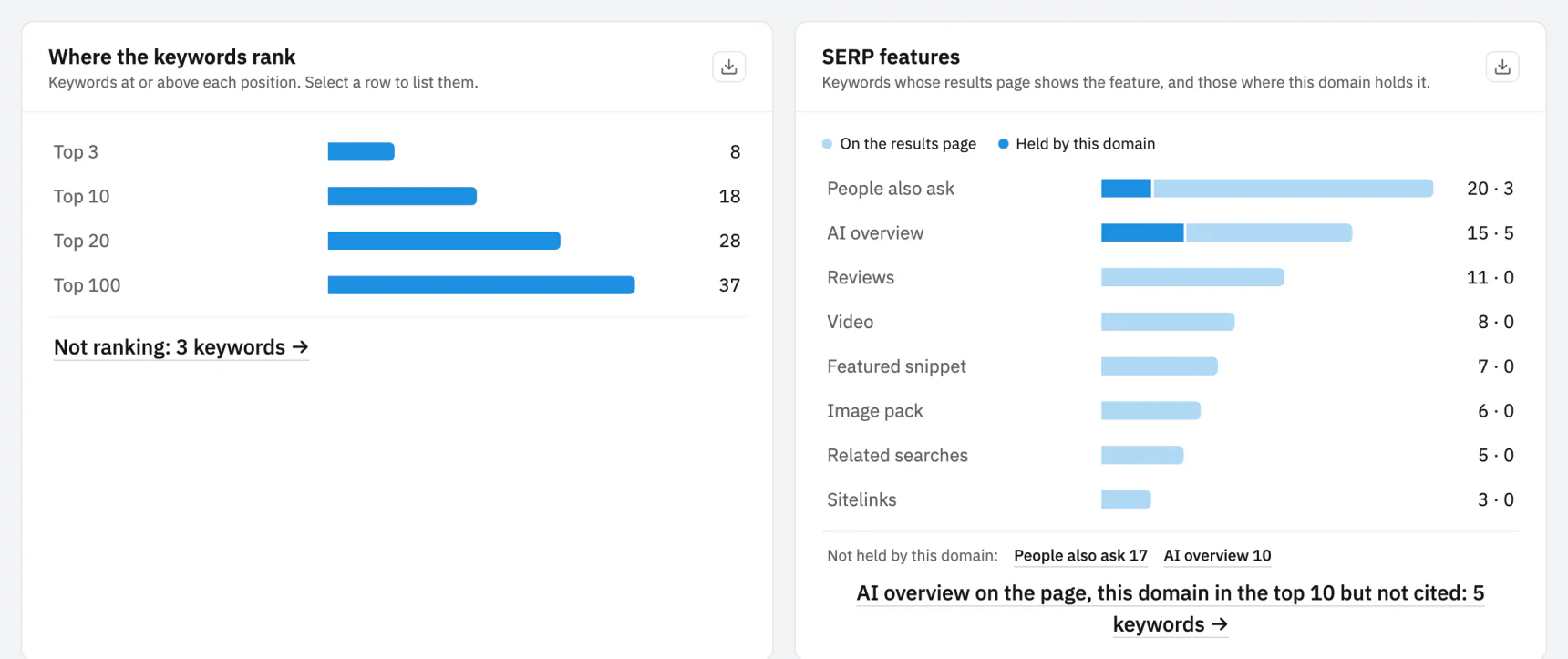
Where the keywords rank counts your keywords at or above each position. The groups overlap: a keyword in the Top 3 is in the Top 10 as well. Press a row to list its keywords, or Not ranking for the rest.
SERP features lists the eight most common, with two numbers for each: the keywords whose results page has it, and those where it shows your site. "15 · 5" for AI overview means 15 of your keywords show one and 5 of them cite you. Press a row to list the keywords.
Under it, the links worth most: Not held by this domain, and the keywords where you rank in the top 10, Google shows an AI overview, and it does not cite you.
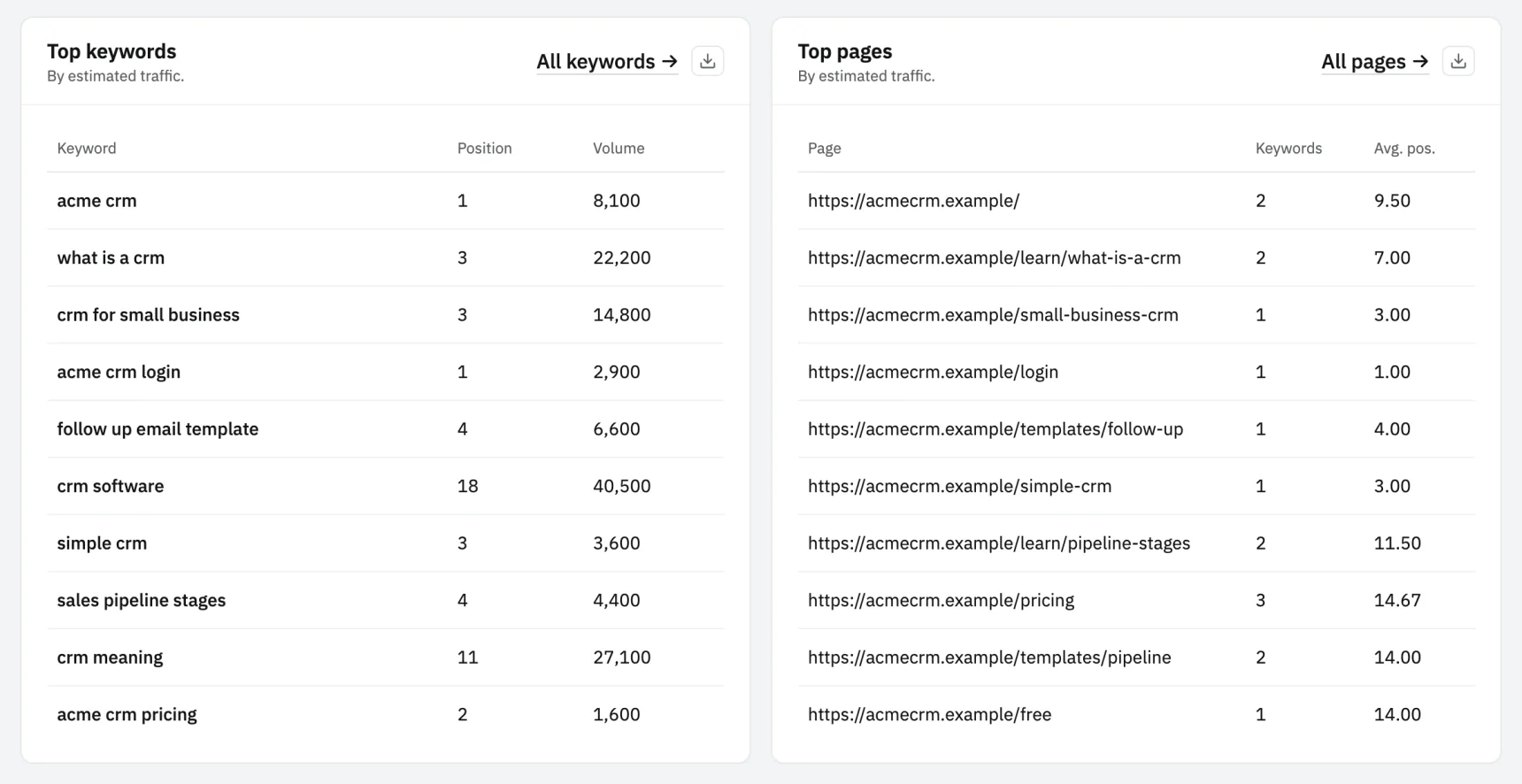
Top keywords and Top pages are your ten best by estimated traffic, with links to the full lists. Each card has a download button for its own CSV.
Keywords: every search you rank for
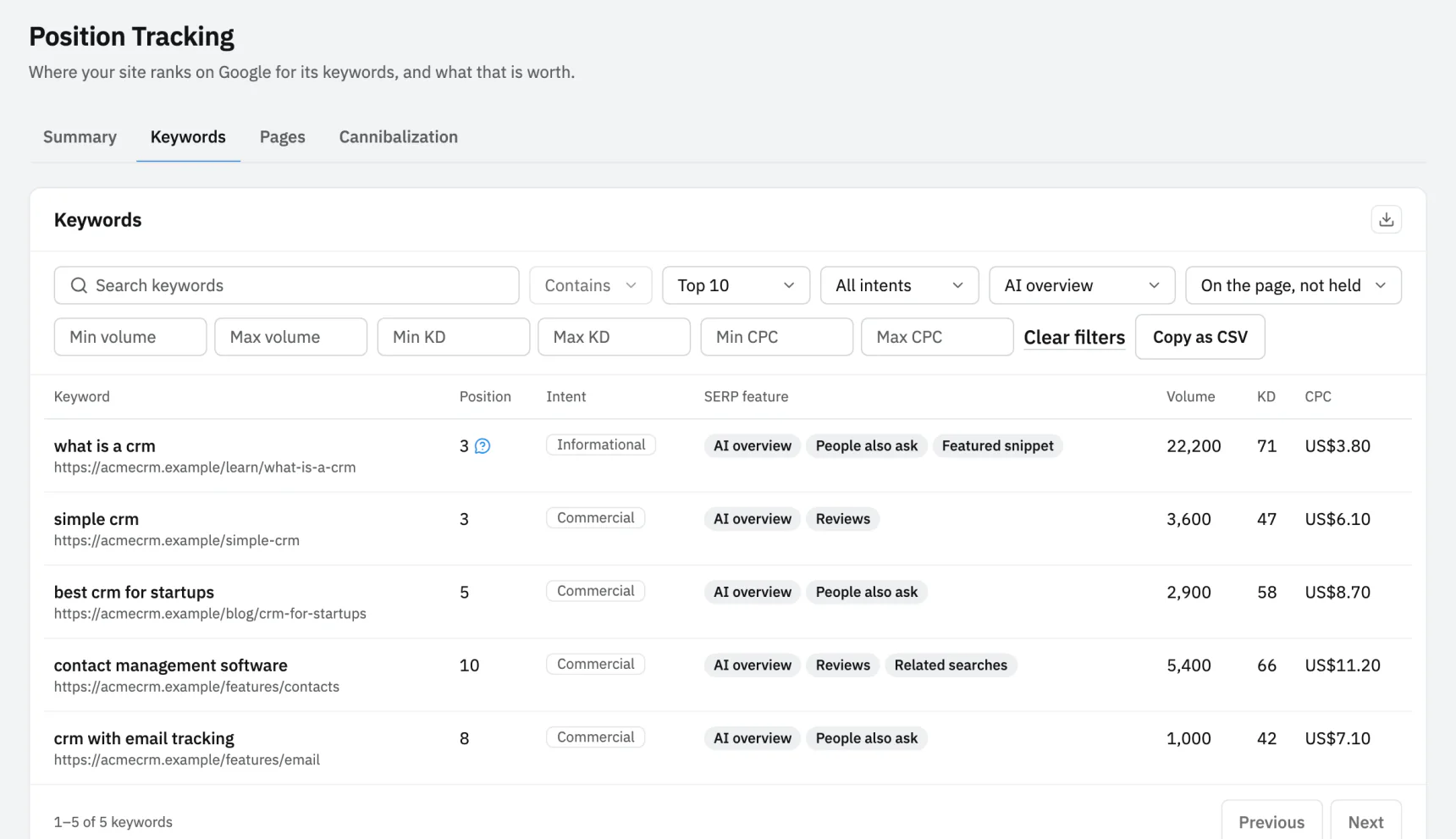
Keywords lists every keyword, with the page of yours that ranks best under its name.
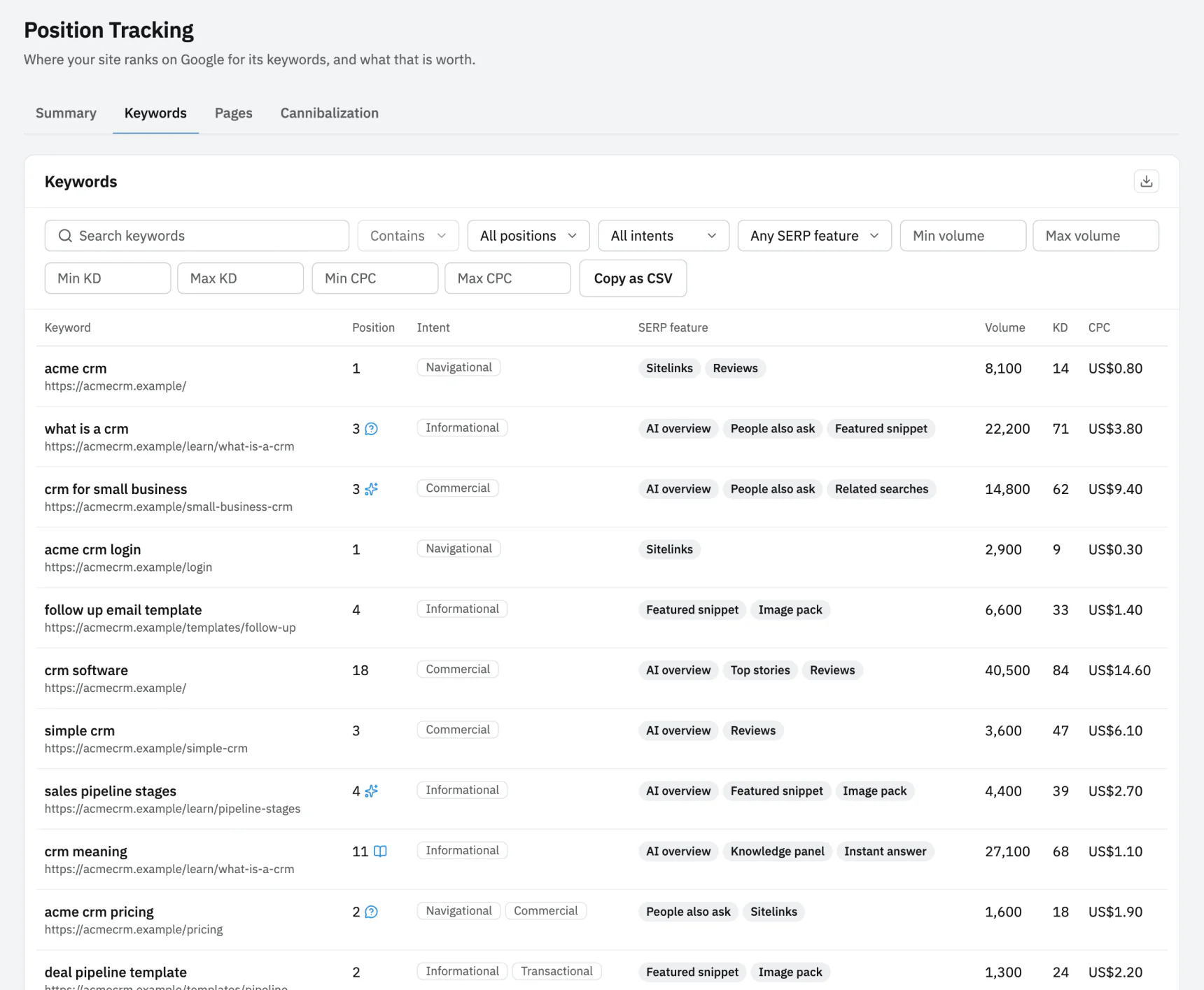
| Column | What it tells you |
|---|---|
| Position | Where you rank, usually your best ordinary result. A dash means you do not rank, though an AI overview or People also ask may still show you |
| The small icon beside it | Your site is shown in a feature, such as an AI overview, People also ask or a Knowledge panel. Hover to read which |
| Intent | What the searcher wants |
| SERP feature | Every feature on that results page |
| Volume | How often it is searched |
| KD | How hard it is to rank |
| CPC | About what an advertiser pays for a click |
| Traffic/day | An estimate of the visits a day it brings you |
| Visibility | How close you are to first place on this keyword |
Search by words, then narrow the match to Contains, Exact or Excludes. Filter by position, intent or SERP feature, and by the smallest and largest volume, KD and CPC. Once you choose a feature, a second menu asks whether your site holds it. Press a heading to sort by it, except Intent, SERP feature and Visibility; the arrow shows which column is sorted.
Copy as CSV copies every keyword that matches. The download icon saves only the rows you see.
Pages: which of your pages rank
Pages turns the list round, page by page.
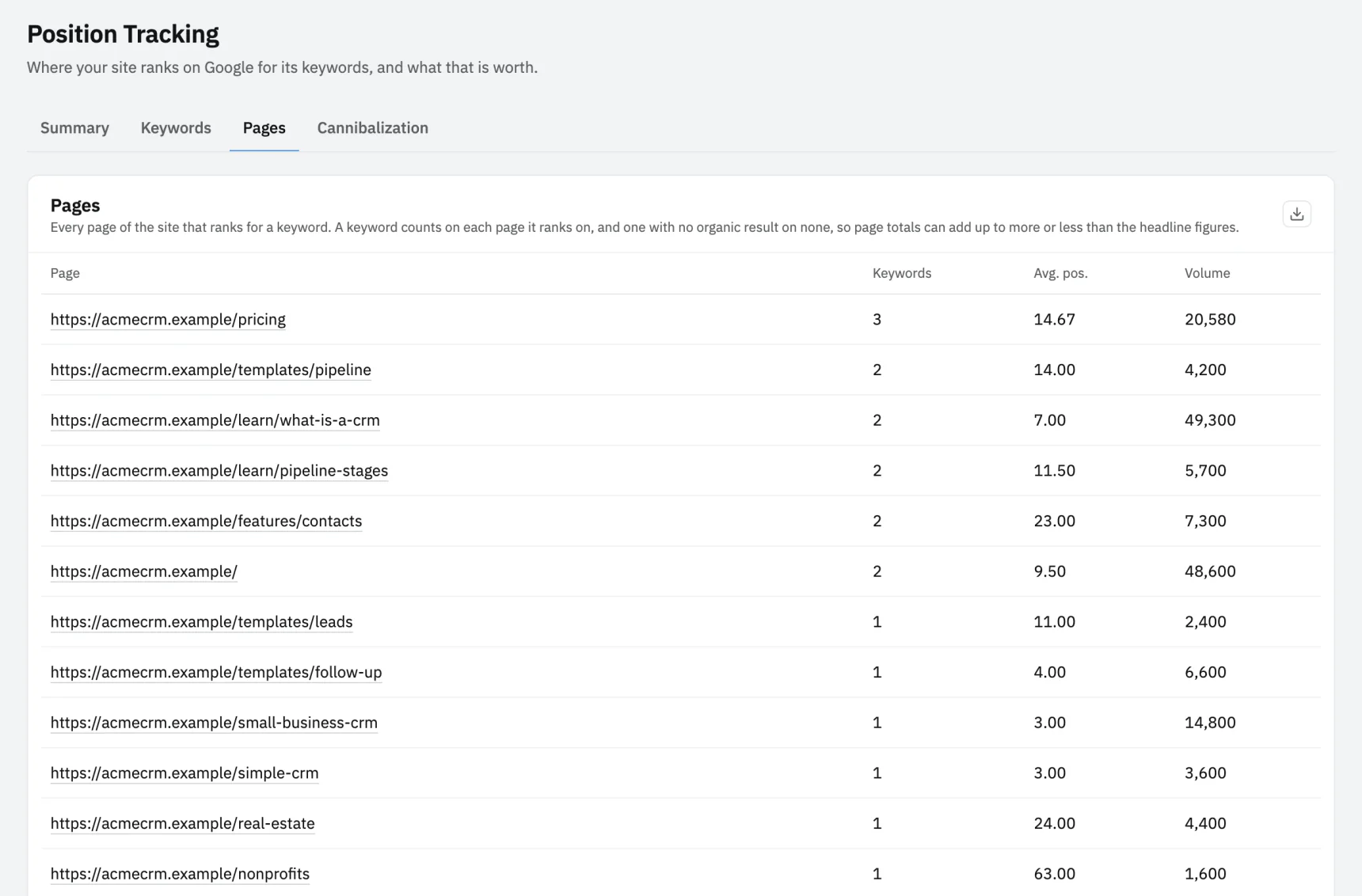
Every page that ranks is here, with how many keywords it ranks for, its average position, the volume behind them and its visits a day. Press a page to open it in a new tab. A keyword counts on every page that ranks for it, so the column can add up to more or less than your headline figure.
Cannibalization: pages that compete with each other
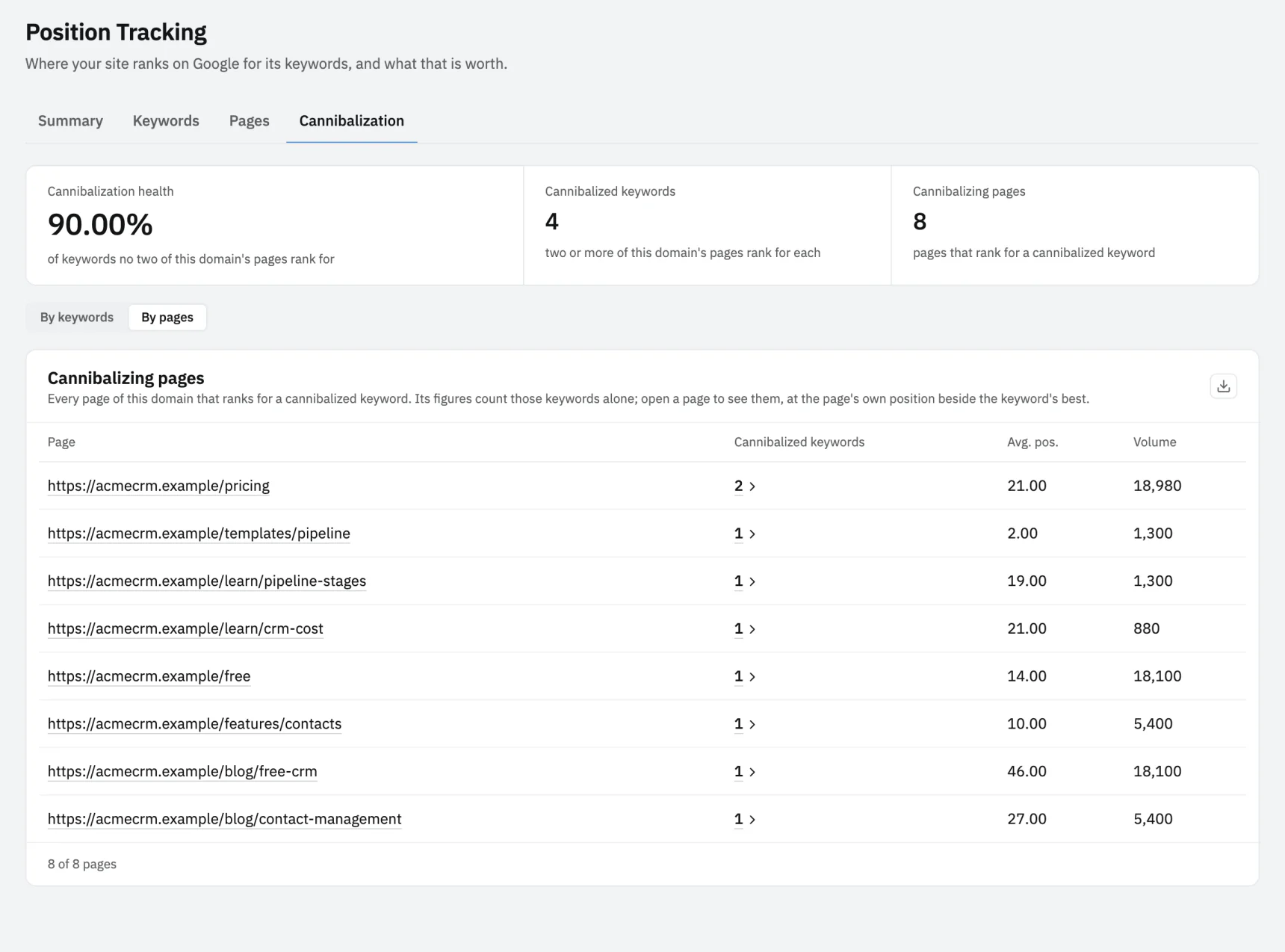
When two of your own pages rank for the same keyword, they split the attention one strong page would get. It is like two of your shops on the same street, each with half the customers. Cannibalization finds them.
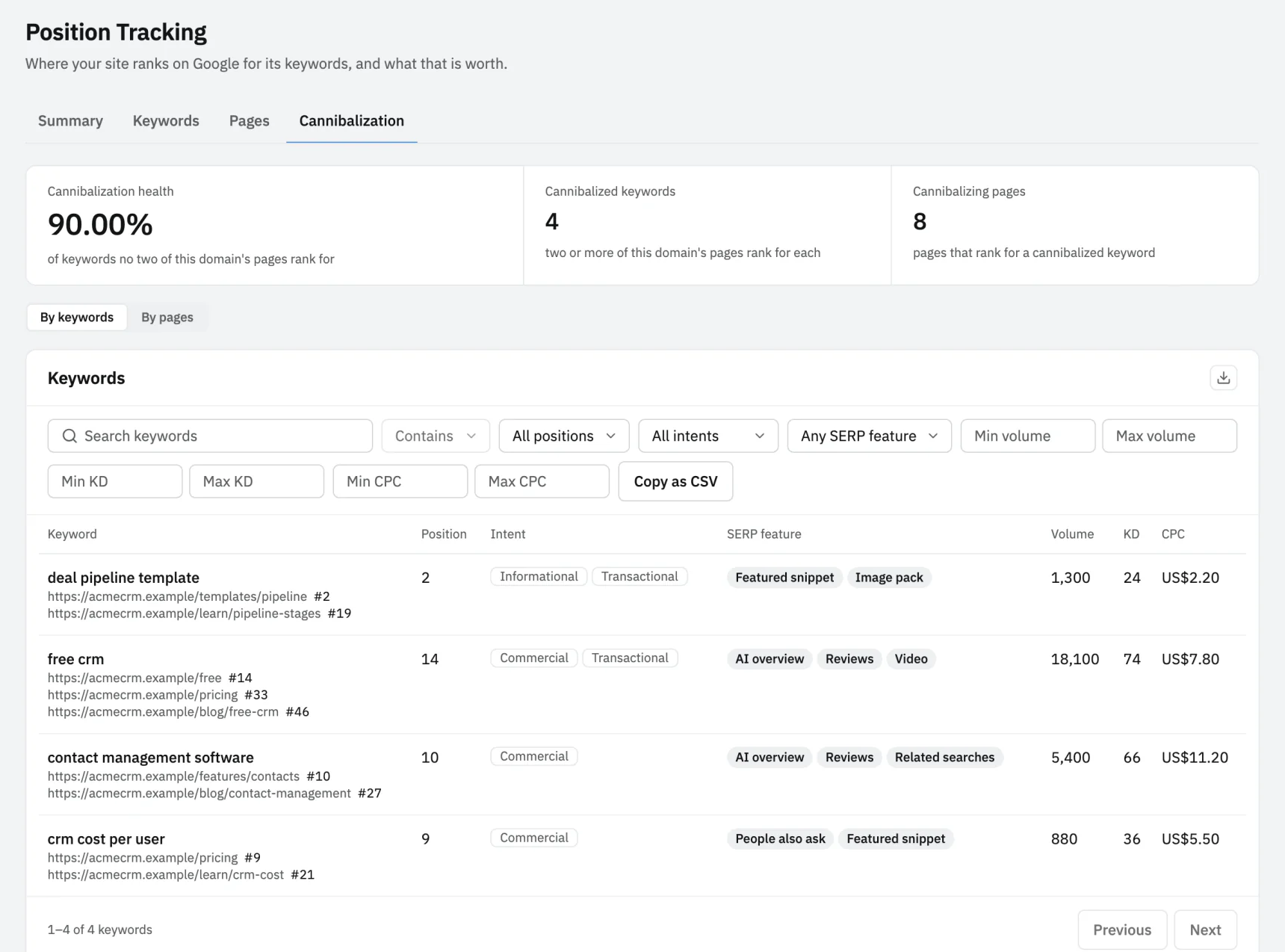
- Cannibalization health is the share of your keywords that no two of your pages rank for.
- Cannibalized keywords is how many have two or more.
- Cannibalizing pages is how many pages are involved.
By keywords lists each keyword with every page of yours that ranks, and its position. By pages turns it round: each page, and the keywords it shares. Press the number in Cannibalized keywords to see them, with this page's position beside the best one.